Overview
Weighbridge scaling for incoming goods: when stock arrives by the truckload, the weighed quantity is captured on the receipt, balanced against the vehicle's net weight and carried through to the purchase order and the vendor bill.
Features

Scale Quantity
Weight
Reconciliation

Scaling Records

Vehicle Number on Bills
Scaling Reports
Description
Scale Quantity
A Scale Quantity button on receipts opens the scale ticket: driver, vehicle type and number, loaded and vehicle (tare) weight, reference number and the scaled quantity of each product.

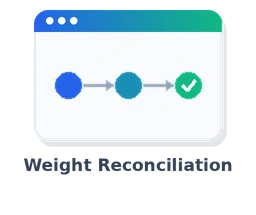
Weight Reconciliation
The scaled quantities must balance with the net weight (remaining weight zero) before the ticket can be saved; it can then update the receipt and purchase order quantities.

Scaling Records
Every scale ticket is kept as its own record with reference number, vendor, source document and vehicle, with chatter history.

Vehicle Number on Bills
Vendor bills created from a scaled receipt get the vehicle number and a bill reference in the form Product Quantity Unit @ Price - Vehicle# Number.

Scaling Reports
Scaling report on the purchase order and scaling inspection report on the ticket, with and without header and footer.

Our Services
Engineering Research & IT Services Provider (Pvt.) Ltd. (ERISP) is a leading provider of comprehensive technology solutions, specializing in ERP & CRM systems, digital marketing, and cloud computing services.
Project Management

Odoo Implementation

Odoo Customization

Odoo Support
Odoo Integration

Odoo Migration

Odoo Consulting
Odoo Training

Hire Odoo Developer
Customer Care
Our customers are our first priority. We have a dedicated and expert team for customer care.
مشخصات
| Available Versions | Version 18, Version 19 |