
Overview
This module enhances accounting by adding multiple taxes functionality in the register payment wizard. Additionally, it includes a tax payment form specifically designed for withholding tax payments to the relevant authorities, ensuring compliance and streamlining tax management.
Features

Withholding Taxes

Apply Multiple Taxes in Register Payment

Changeable Taxable Amount

Apply Taxes on Taxable Amount

Tax Payment Functionality

Role-Based Access Rights for Tax Payment
Automatic Tax Payment Journal Entry
Description
Withholding Taxes
With this module, we can easily withhold taxes and then pay them to the relevant authorities.
Taxes checkbox in register payment
Checkbox for enabling multiple taxes in register payment.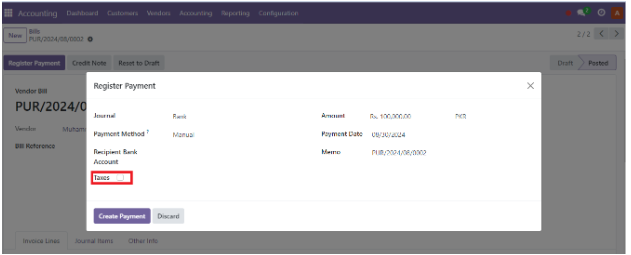
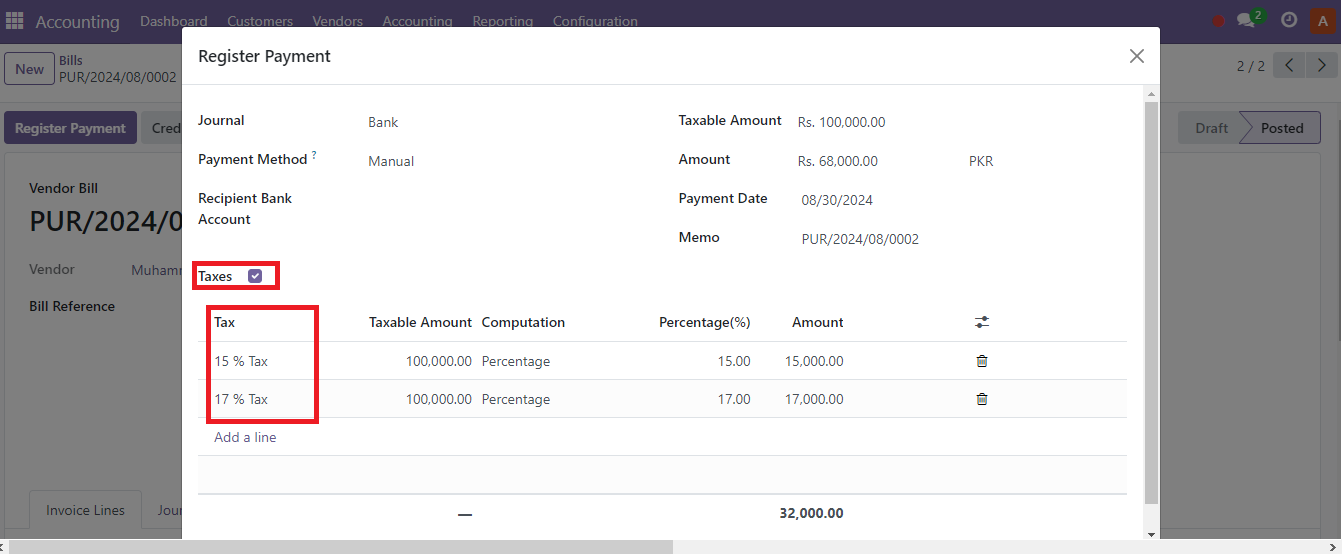
Apply Multiple Taxes in Register Payment
In Customer Invoices & Vendor Bills, we can apply more than one taxes on the time of payment.
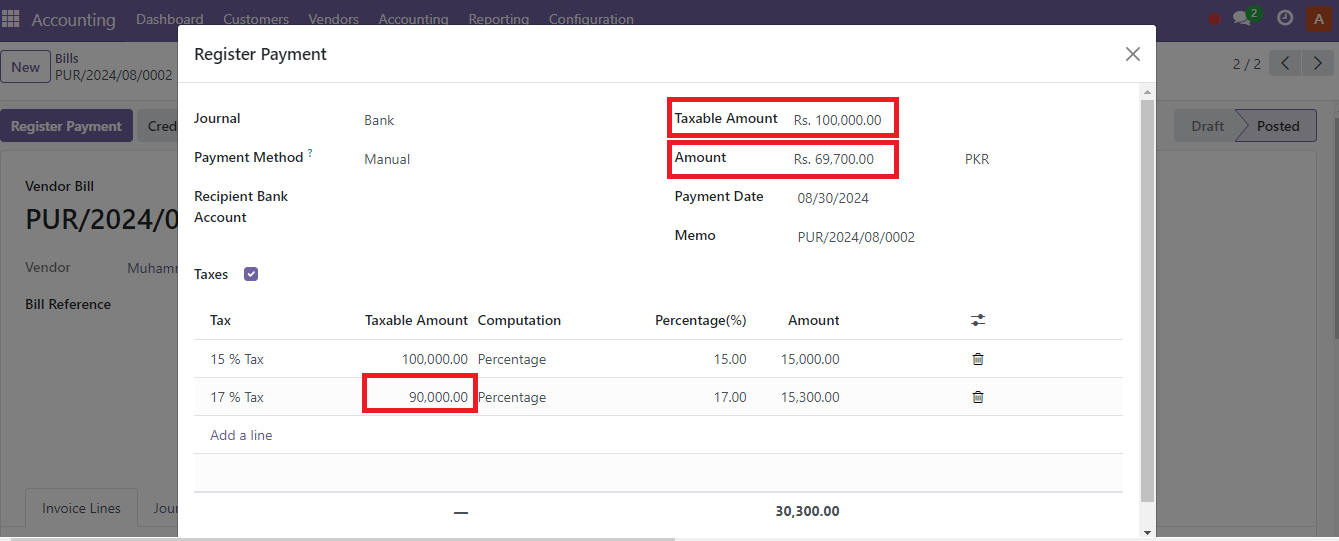
Changeable Taxable Amount
We can easily change the taxable amount at the time of payment, so the tax will be calculated based on the updated amount.
Role-Based Access Rights for Tax Payment
In the user form, under the accounting section, we have added role-based access rights for the tax payment form.
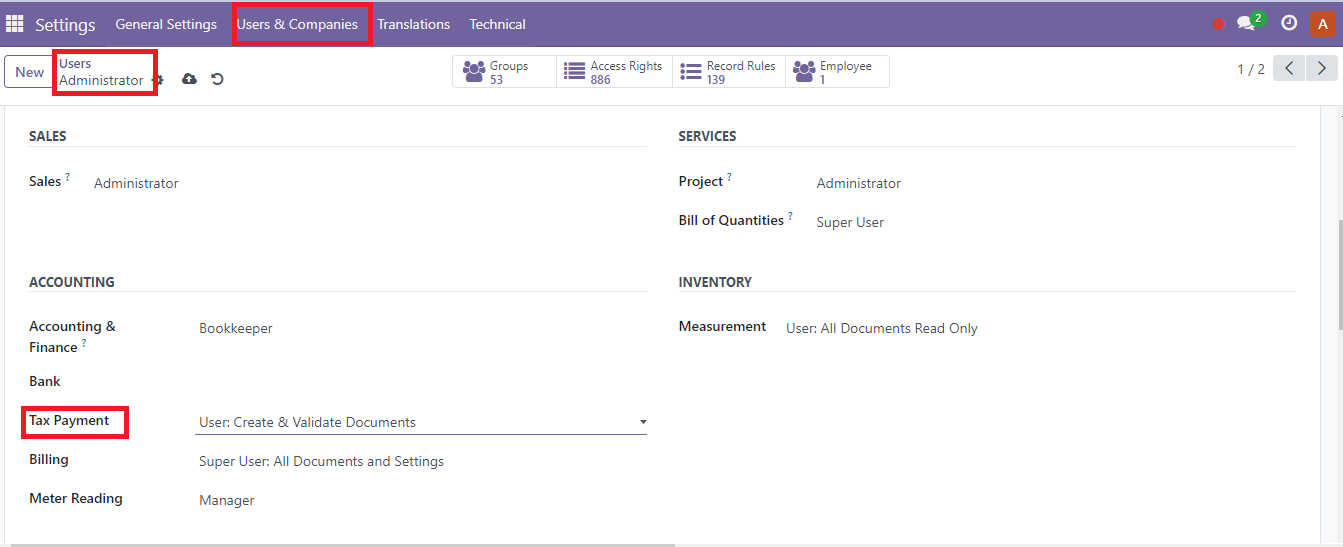
Tax Payment Functionality
In the Accounting menu, find the Tax Payment submenu to view all tax payments and can create new tax payment records.
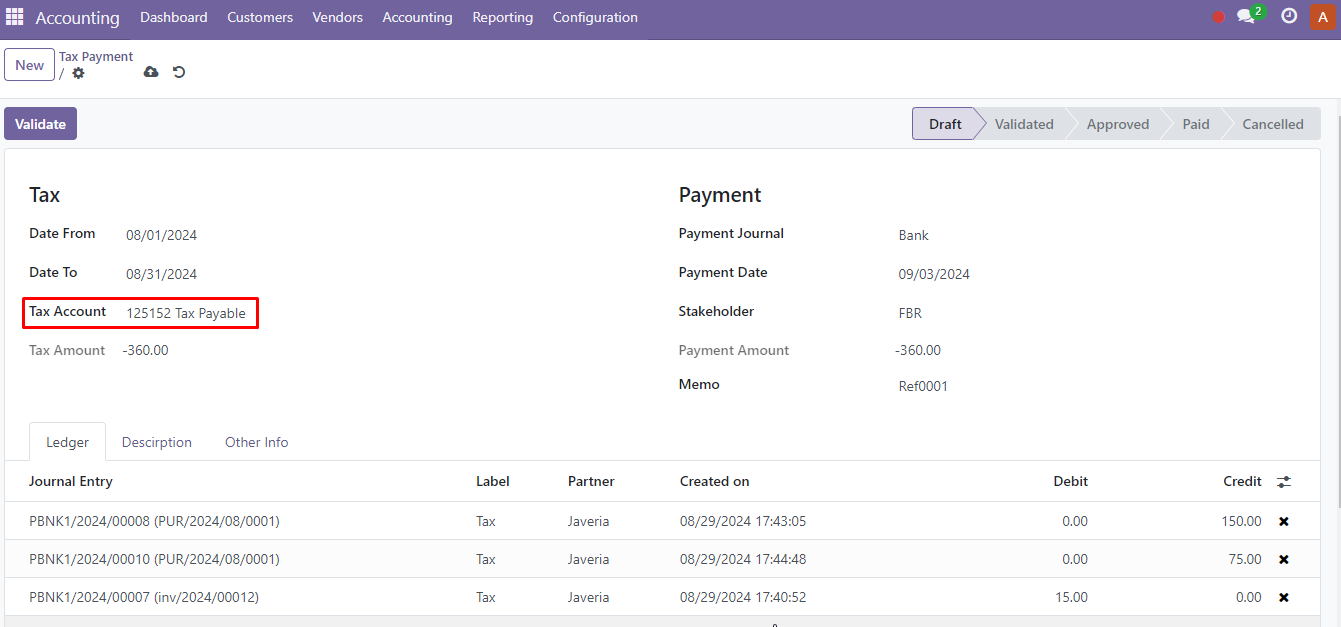
Tax Payment Form
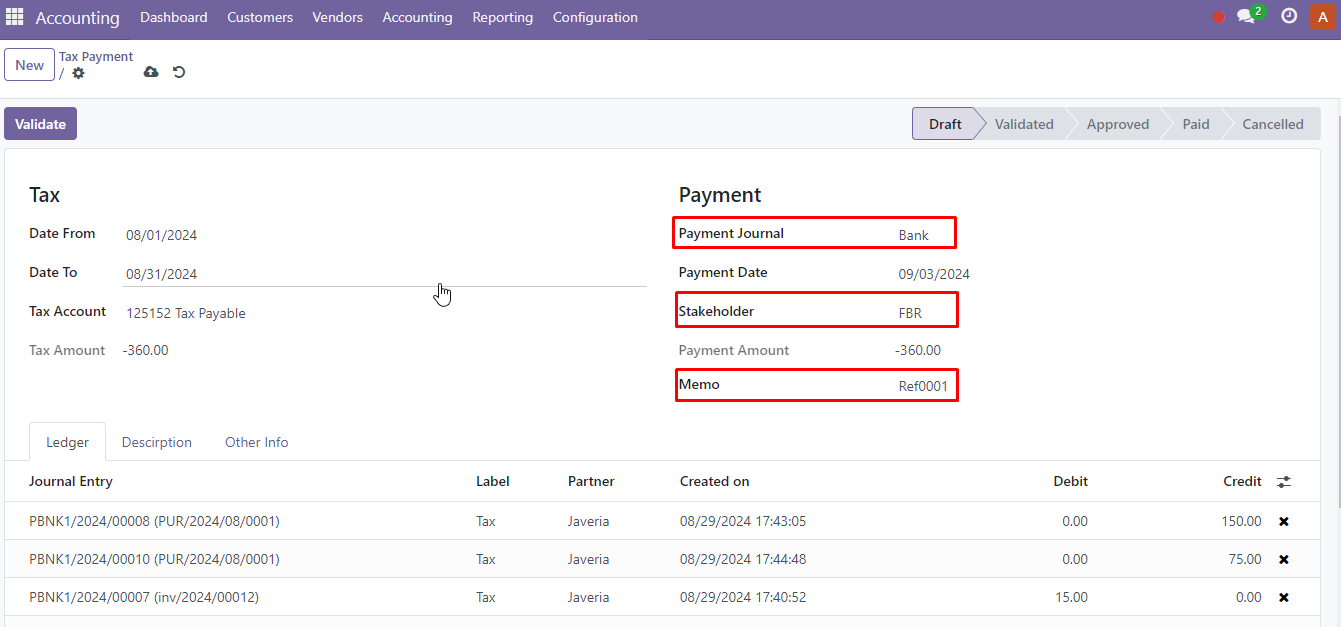
In the tax payment form, last month is selected by default. Choose the tax account, and it will load all journal items posted in this account for the same dates.
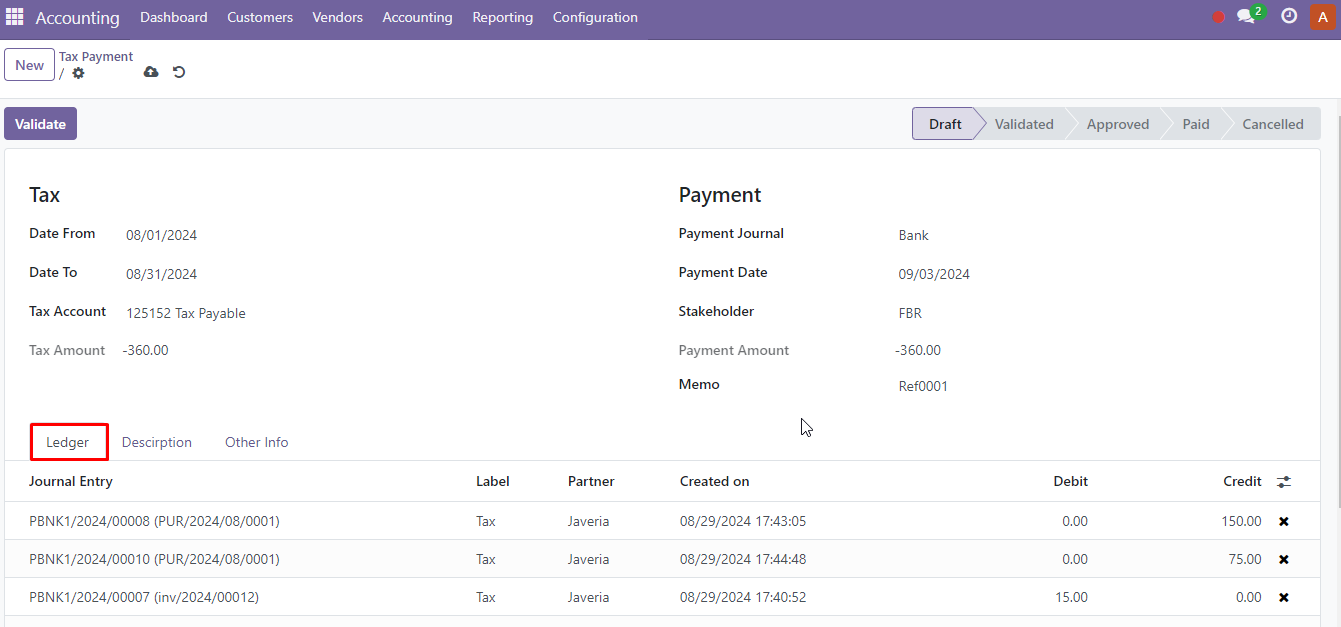
The system will automatically calculate the 'Payment Amount.' You can also unselect some journal items to exclude them from the payment, allowing you to pay them next time.
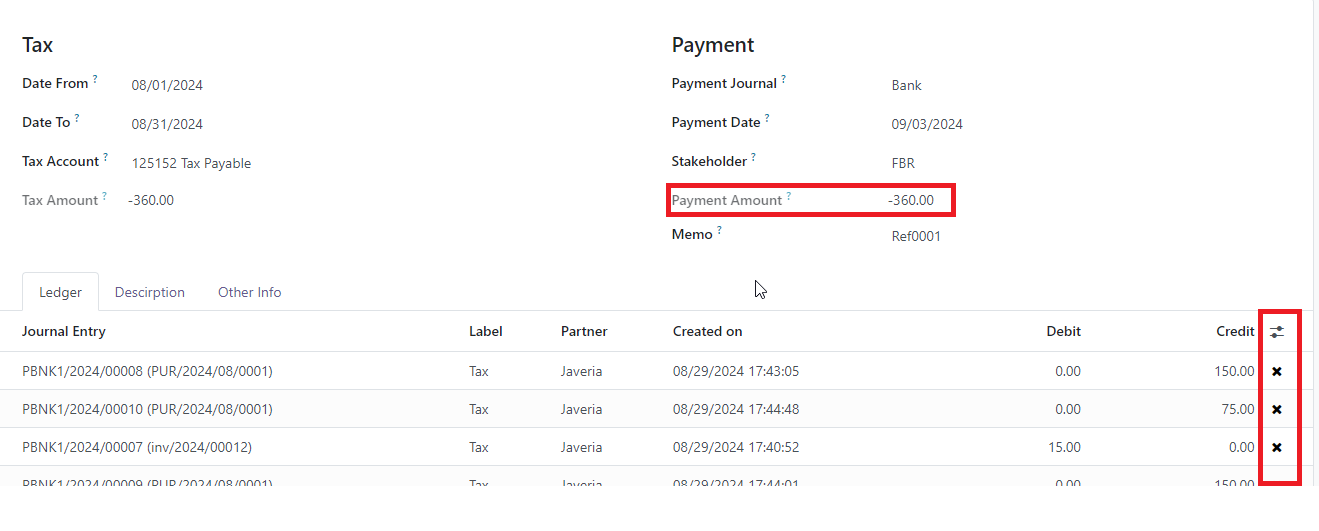
Select Payment Journal, Stakeholder and enter Memo to process the payment.
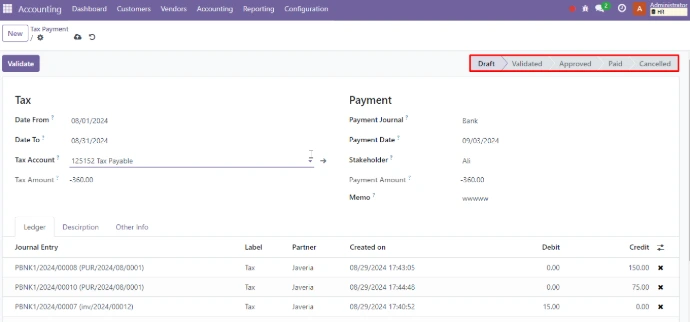
There are buttons available based on access rights for the approval hierarchy; click on them according to the required approvals.
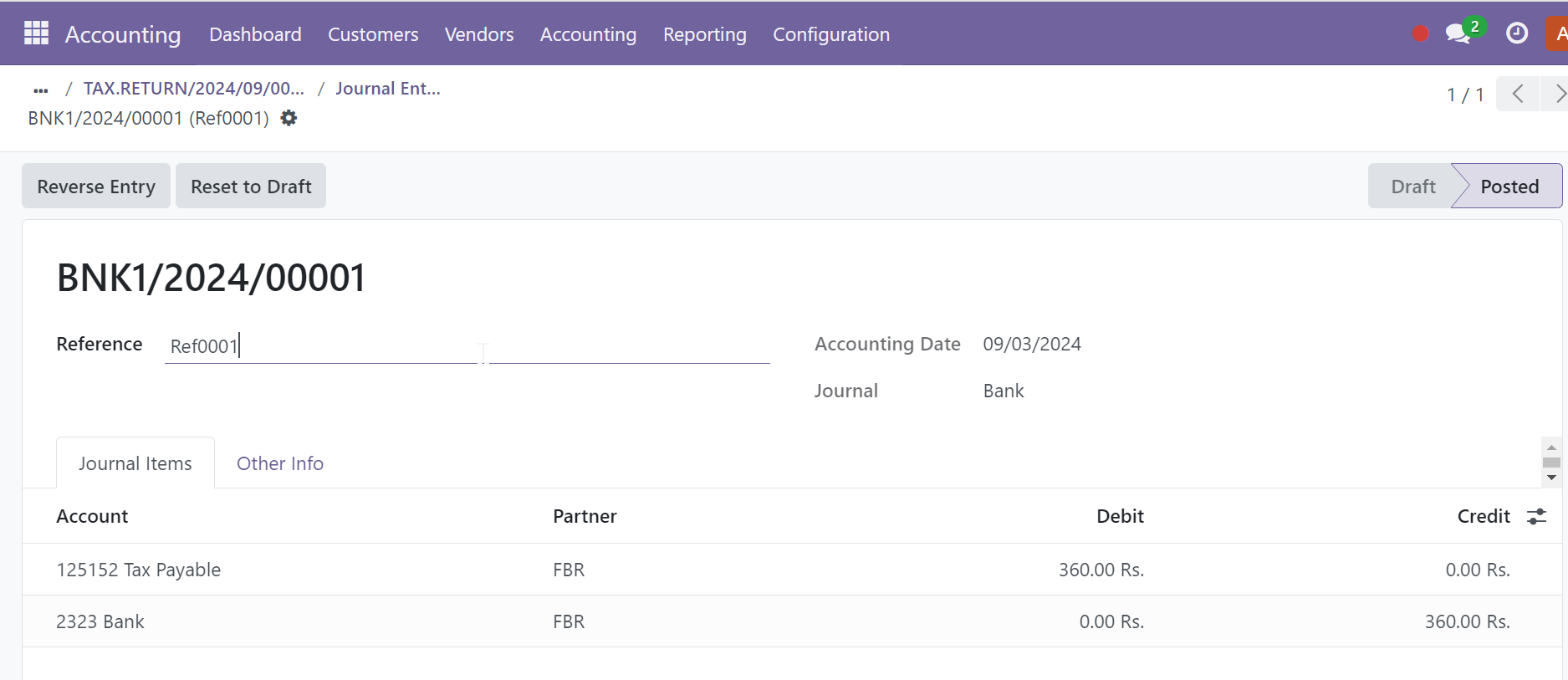
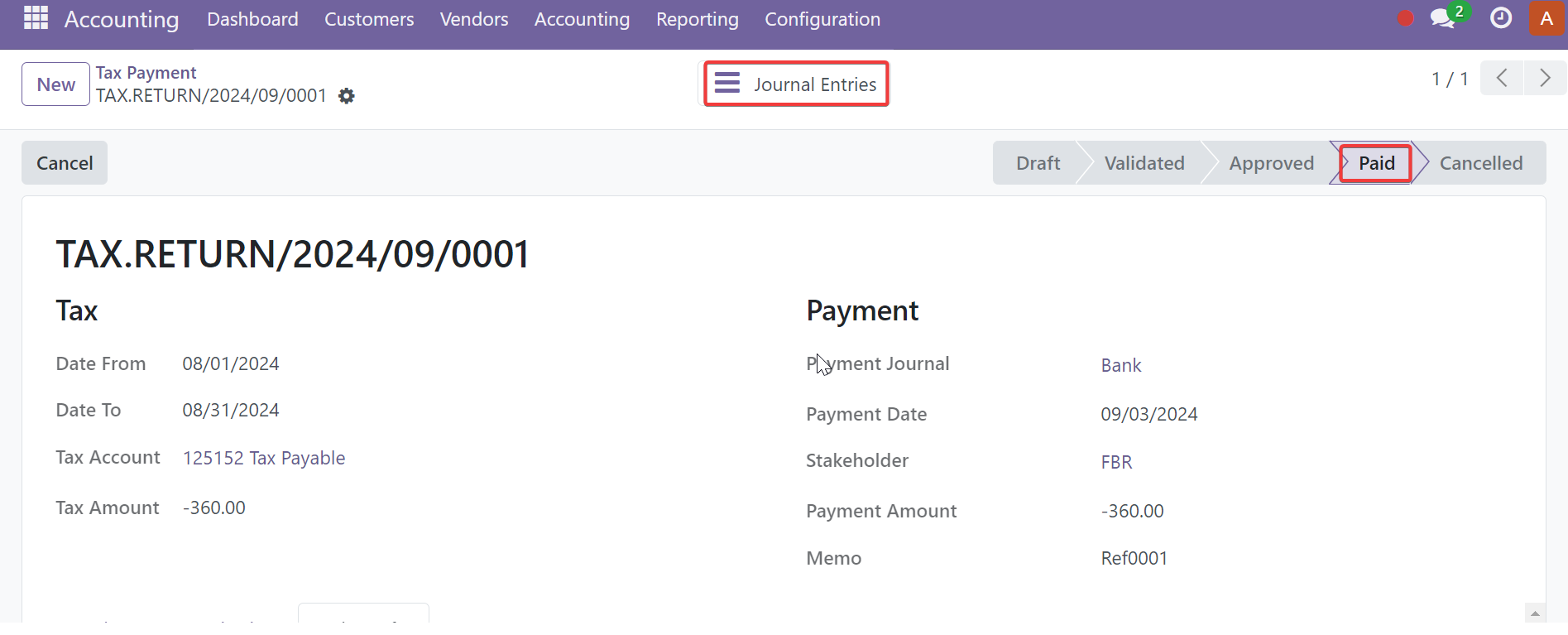
Automatic Tax Payment Journal Entry
When the record is done a payment journal entry will be passed and will be linked with the record through a smart button.
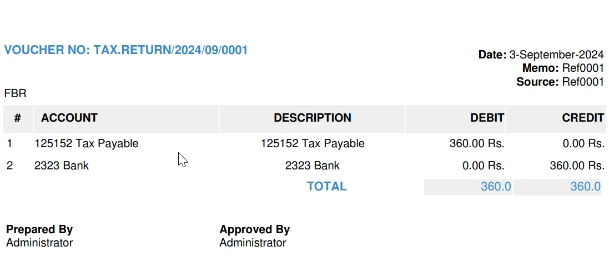
Tax Payment Voucher PDF
A PDF Voucher can be printed from the print option.
Our Services
Engineering Research & IT Services Provider (Pvt.) Ltd. (ERISP) is a leading provider of comprehensive technology solutions, specializing in ERP & CRM systems, digital marketing, and cloud computing services.

Project Management

odoo Implementation

odoo Customization

odoo Support

odoo Integration

odoo Migration

odoo Consulting

odoo Training

Hire odoo Developer
Customer Care
Our customers are our first priority. We have a dedicated and expert team for customer care.
مشخصات
| Available Versions | Version 17, Version 18, Version 19 |